

Floating Palette


It is the toolbar that contains the graphic elements corresponding to the different types of symbols that can be defined in the process diagram, based on BPMN2.0 (Business Process Model and Notation).
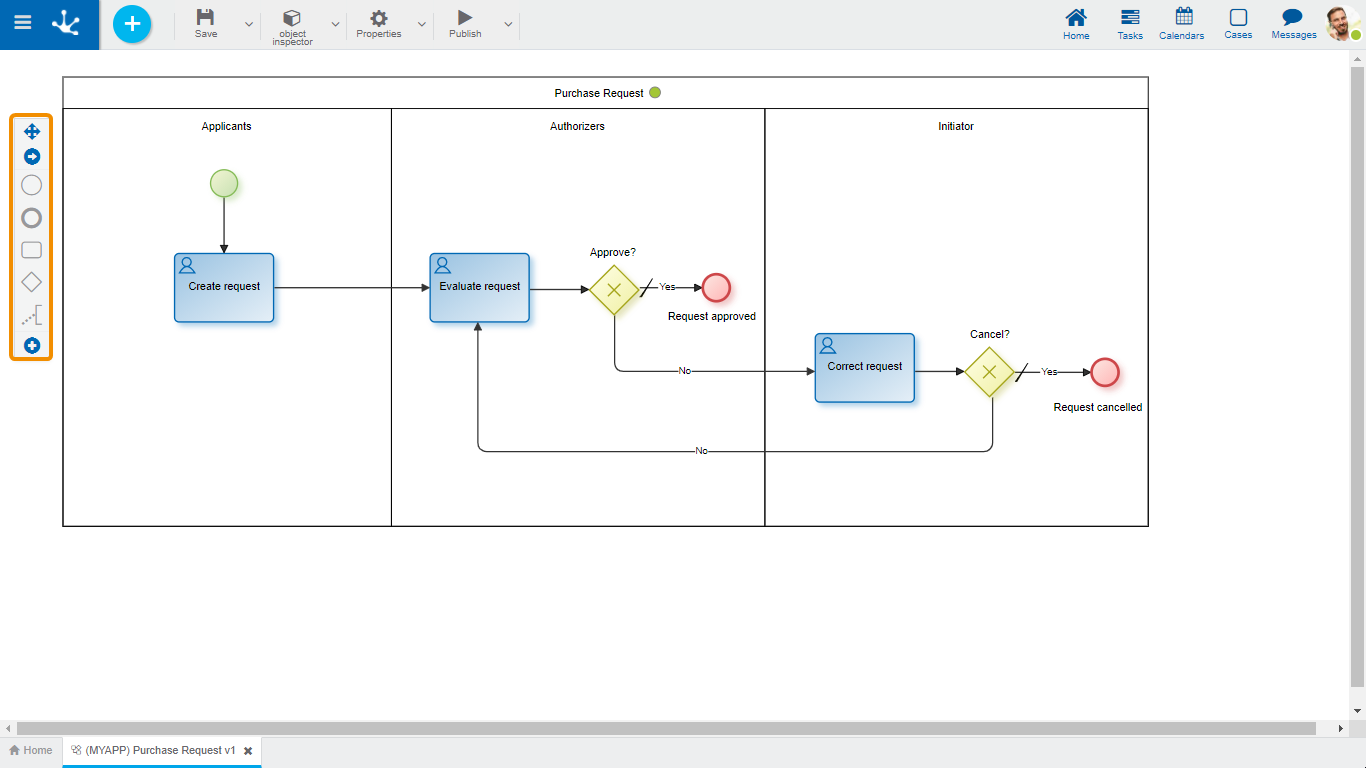
Bar Elements
 Scroll Bar
Allows to move the icon bar to any position in the graphic modeling area.
 Start Event
A start event Indicates the beginning of a process, so they have no input flow but may have a trigger event.
Types
-Standard
-File
-Command
-Rule
-Signal
-Timer
 End Event
An end event Indicates the end of a process, so it has no output flows.
Types
-Standard
-Signal
-Terminal
 Task
Task
A task represents a work unit that is carried out as part of a process execution.
 Gateway
An gateway represents a branch point. Gateways can be of different types.
-Exclusive without marker
-Exclusive with marker
-Inclusive
-Parallel
 Annotation
An annotation allows the modeler user to add additional data, intended for the diagram reader.
 Subprocess
A subprocess is an activity that refers to another independently defined process.
 Intermediate Event
An intermediate event indicates where events may occur between the beginning and the end of a process. They affect the process flow, but they will not start nor end a process directly.
Types
-Capture link
-Catch signal
-Throw link
-Throw signal
-Timer
 Data Object
A data object represents information that flows through the process such as documents or emails.
 Group
Group
A group allows to group symbols visually.