

Subprocess


It is an abstract activity that represents an independently defined process. It is used to hide levels of detail in processes and allows to reuse modeled processes. For example, if different processes have a common part, it can be defined only once and be reused in each process.
Once the execution of the subprocess is complete, control returns to the process that uses it and continues with the next modeled activity.
Pie Chart Menu
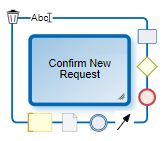
|
Deletes the subprocess. |
|
Opens an area for editing the name. |
|
Opens the properties panel. |
|
Displays the list of graphic elements available to add. |

When interacting with the icon  , a panel is displayed that allows you to quickly select and add the next element to the process.

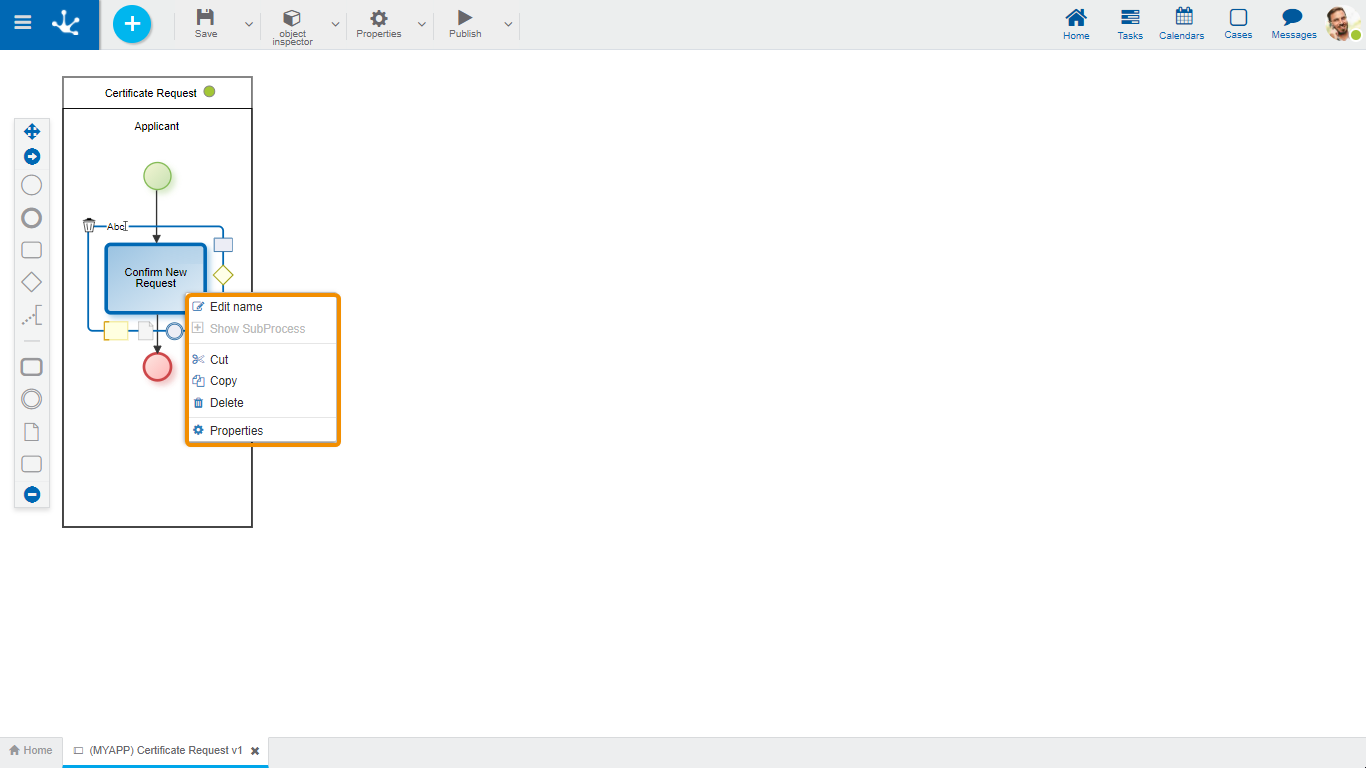
- Edit Name: Edits the name inside the rectangle that represents the activity. Same functionality as the icon  .
.
- Show Subprocess: Opens the subprocess in a new modeler tab.
- Cut: Deletes the selected subprocess. It can be pasted in another location.
- Copy: Copies the selected subprocess. It can be pasted in another location.
- Delete: Deletes the selected subprocess. Same functionality as the icon  .
.
- Properties: Opens the properties panel to show or to update.