

View Submenu


This submenu allows switching between code, execution, and test case options. Additionally, from here it is possible to activate or deactivate the views of parameters and related objects.
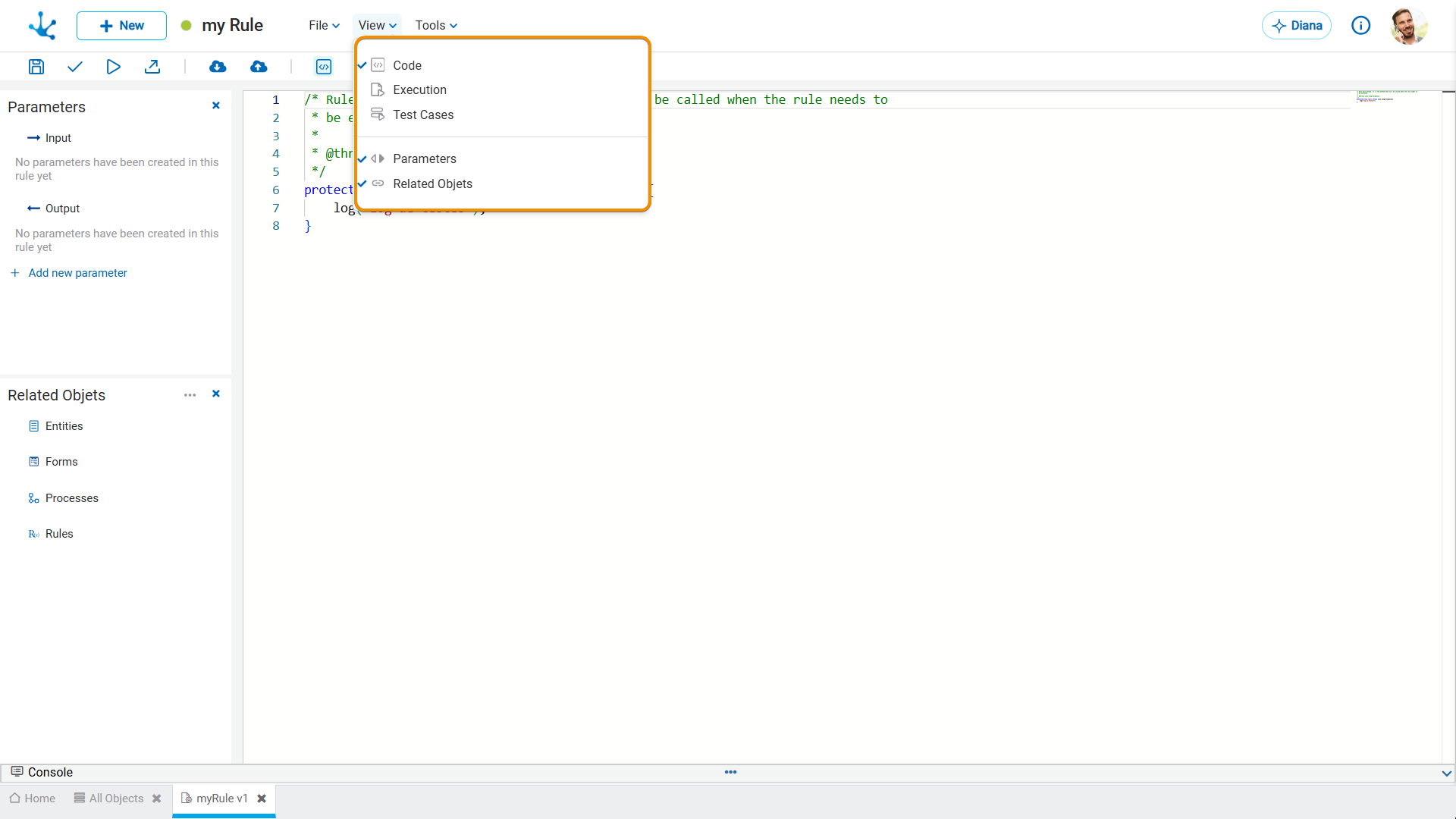
Menu Options
When creating or modifying an advanced rule, it allows writing Java code or SQL code as applicable, testing the rule, and reviewing its compilation errors, displaying them in the console.
Depending on the type of advanced rule, different menu options are displayed.
All rule types, except for the form extension rules, have the "Test Cases" option.
•Standard Rule
The available menu options are: “Code”, “Execution" and "Test Cases”.
.
•JDBC Rule
The available menu options are: “Code”, “Pre/Post”, “Execution" and "Test Cases”.
•SOAP Rule
The available menu options are: “Execution" and "Test Cases”.
•Forms Extension Rule
The available menu option is: “Code”.
•Rest Rule
The available menu options are: “Pre/Post”, “Execution" and "Test Cases”.
 Parameters
Selecting this option activates or deactivates the view that displays the parameters used in the current rule.
 Related Objects
Selecting this option activates or deactivates the view that displays the related objects that are used in the current rule.