
Style Properties


The style properties panel of a page opens when selecting the icon  of the context menu.

Padding
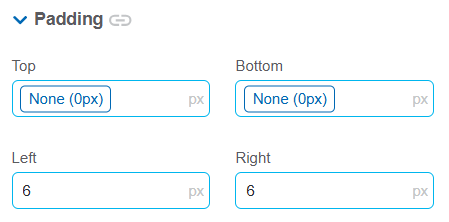
These properties allow defining the space between the borders (top, bottom, left and right) of the element and its content. Padding is applied to the inside of an element, unlike margin, which defines the space between the element and the element above it. It is recommended to define its value using one of the layout system spacing variables to ensure interface consistency. If a required value is not available in the spacing scale, a fixed value can be specified.
o
 Allows values entered in one of the paddings to be copied to the other ones automatically.
 Allows to indicate different values for each padding.
The element properties are represented by icons on its context menu, where its operations are also available.
PropsEstiloImagenFondo3
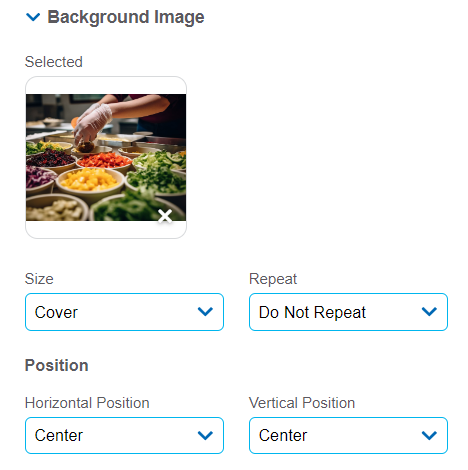
It allows to add a background image to the section.
Size
Possible Values
•Cover
•Content
•Auto
Repeat
Possible Values
•Repeat
•Repeat Hor.
•Repeat Vert.
•Spacing
•Rounded
•Do Not Repeat
Horizontal and Vertical Position
Possible Values
•Center
•Left
•Right
Background Color
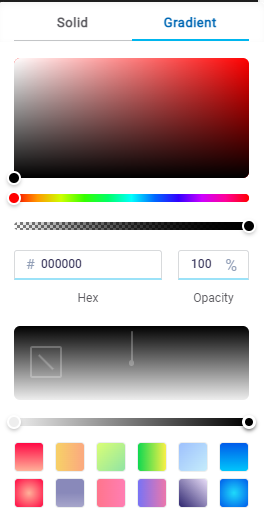
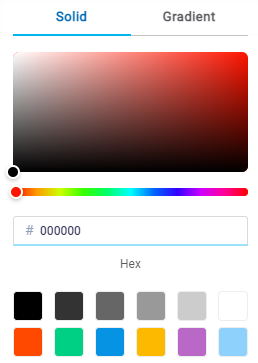
It allows to model a background color for the element, it can be solid or gradient and different properties are defined for each one.
Solid

This option enables not only to select the color from a palette but also to define the degree of transparency.
Gradient
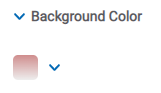
This option enables to select not only the color from a palette but also to define its opacity and intensity according to the selected angle.