

Entity Action


It allows performing operations on an entity instances.
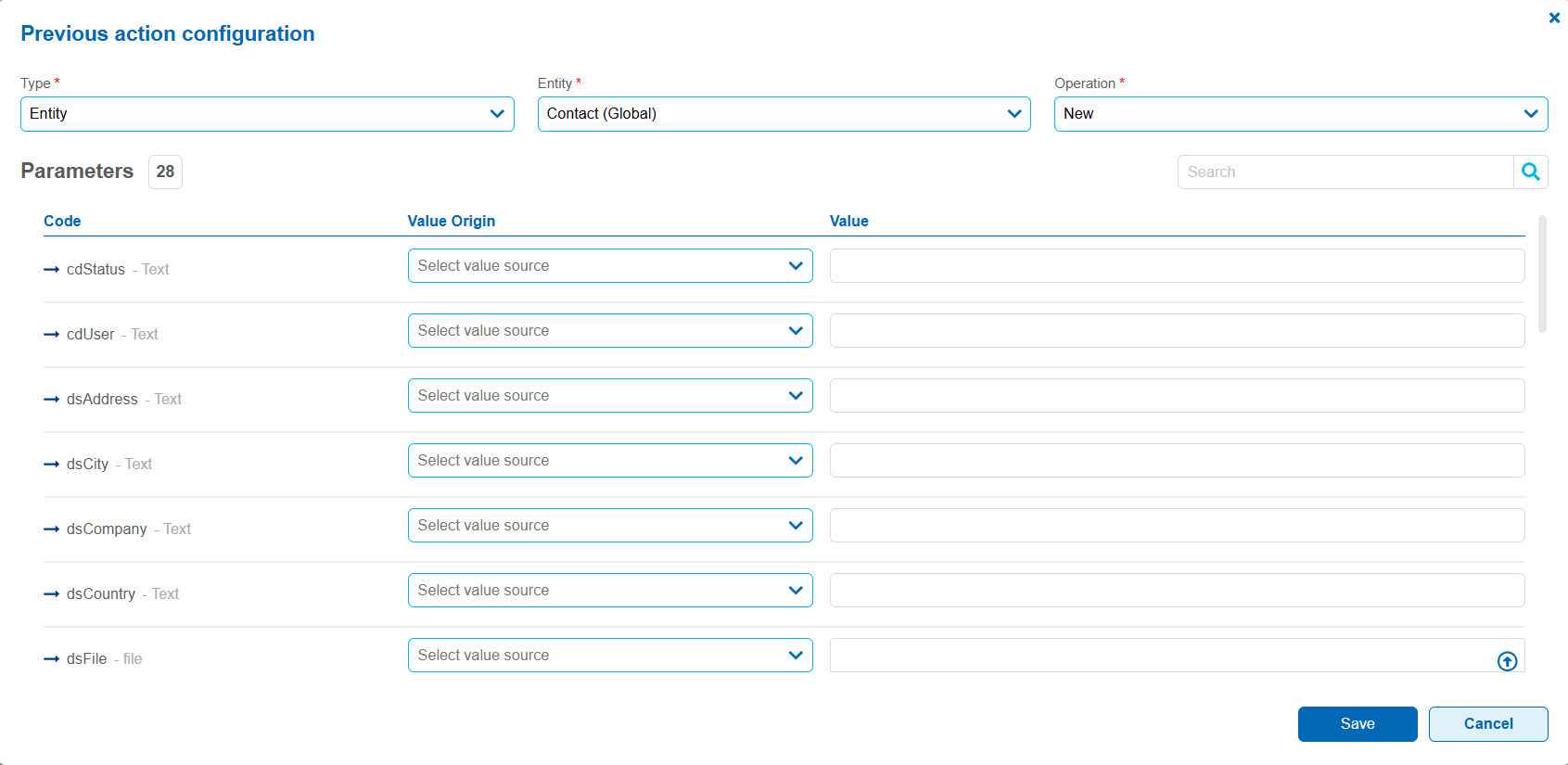
Entity
It allows selecting the entity on which the operation is performed.
Operation
It allows selecting the operation to be executed on the entity.
Possible Values
•New: builds a new instance of the selected entity.
•Modify: updates an existing instance of the selected entity.
•Delete: Removes an instance from the selected entity.
Parameters
The parameters of a previous action can be input or output parameters.
Input parameters
They allow defining the values sent to the selected operation. They are identified in the parameter table by the icon  .
.
Value origin
Possible Values
•Empty: does not send any value for the field persistence.
•Value: uses a fixed value defined in the settings window.
•Parameters and Variables: Uses a parameter value or an object variable.
•Element: uses the value of a field from the object whose type matches that of the entity field.
Output parameters
They allow the values returned by the operation to be stored for use in subsequent actions. They are identified in the parameter table by the icon  .
.
Each operation has its own set of output parameters.
Value origin
Possible Values
•Empty: ignores the value returned by the output parameter.
•Variables: assigns the value of the output parameter to a variable of the object.
•Elements: assigns the value of the output parameter to a field of the object.
The resulting values are available for hyperlinks and subsequent actions.
The available parameters depend on the selected operation: New, Modify, or Delete.
When the New operation is selected, the entity fields necessary to define the values of the new instance are displayed.
In addition, the following output parameters are available:
•idInstance: returns the identifier of the built instance and allows it to be assigned to a field or variable of the object.
•dtLastUpdate: returns the last update date of the created instance and allows it to be assigned to a field or variable of the object.
When the Modify operation is selected, the entity fields that allow the values of an existing instance to be updated are displayed.
In addition, the following parameters are available:
•idInstance (Input): indicates the identifier of the instance to be modified.
•dtLastUpdate (At Read) (Input): indicates the date of last modification of the instance to be modified.
•dtLastUpdate: (Output): returns the date of the last modification of the updated instance and allows it to be assigned to a field or variable of the object.
When selecting the Delete operation, the following parameter is available:
•idInstance (Input): indicates the identifier of the instance to be deleted.
When the action is executed, the system deletes the instance corresponding to the indicated identifier.
In new and modification operations, fields within iterative structures only accept values from fields belonging to repeaters or tables. The elements are matched based on their index.
Examples of Use
These are some examples of use of previous actions, using the operations of an entity: New, Modify and Delete.
Case 1: Create a New Customer — Operation: "New"
•The scenario: The user enters a page with the empty fields. Enter the customer's name and phone number and click on the save hyperlink.
•What the previous action does: It is configured as an "Entity", with the "New" operation.
•Input parameters: The previous action takes the values entered on the page, in this case name and phone number, and uses them to create a new instance of the entity.
•Output parameters: When the instance is created, a unique ID is generated. The previous action returns the "idInstance" (for example, ID #105) and the "dtLastUpdate". These values can be stored in variables for later use, for example, to display a success message or to identify the newly created instance.
•Browsing: Once the creation is successfully completed, the hyperlink is executed and navigation proceeds to the configured page.
Case 2: Edit an Existing Client — Operation: "Modify"
•The scenario: The user clicks on a row in the grid, which takes them to a page with the data for that instance, for example, client #105. There, the user modifies their phone number and clicks the hyperlink to save the changes.
•What the previous action does: It is configured as an "Entity", with the "Modify" operation.
•Input parameters: To modify an existing instance, it is required to report the "idInstance" (in this case, #105) and the "dtLastUpdate" (At Read). The "idInstance" identifies which instance is to be modified, while "dtLastUpdate" (At Read) validates that the instance has not been modified since the user read it.
•Data to be modified: In addition to these identifiers, values that have been modified by the user are also sent, for example, a new phone number.
•Browsing: Once instance #105 has been successfully modified, the hyperlink is triggered, and navigation proceeds again to the configured page.
Case 3: Delete a Customer — Operation: "Delete"
•The scenario: Within the same page that displays the data of client #105, the user clicks on the hyperlink to delete it.
•What the previous action does: It is configured as an "Entity", with the "Delete" operation.
•Input parameters: The operation requires the "idInstance', which identifies the instance to be deleted. In this case, ID #105 is reported.
•Result: The previous action removes the instance corresponding to the received "idInstance".
•Browsing: Once the deletion is successfully completed, the hyperlink is executed and navigation proceeds to the configured page.