
Rules Agent


This agent assists both the modeler and the IT developer in generating business rules within an application, based on natural language descriptions. These rules can be advanced or integration-related.
Through a guided and interactive approach, Diana allows the modeler user to generate rules in a structured and secure manner, accelerating development times.
The agent guides the modeler user through the process of defining, configuring, and testing the rules, enabling them to implement these without any programming knowledge. In cases that require more advanced technical configurations or complex integrations, the modeler user can request the assistance of an IT developer, who provides specialized support to complete the implementation.
In addition, the agent provides the necessary tools to perform tests on the created rules, ensuring their correct functioning before publication.
If the rule is advanced, the modeler user explains in the conversation what they want to achieve, and can rely on any additional documentation they attach. The agent will propose a description of the rule, including a summary of the logic, input and output parameters, and which application objects they will relate to. If the modeler user agrees, the rule code will be generated, based on an SDK adapter.
In the case of an integration rule, the modeler user starts the conversation and indicates that they need to integrate with an application for a specific purpose, and attaches the documentation of the API with which the integration should be performed. The agent proposes the rule description and the mapping of the rule parameters with the corresponding endpoint information. If the modeler user confirms the proposal, the rule code is generated, including preprocessing of the input parameters to invoke the endpoint, processing and postprocessing that maps the endpoint response to the output parameters. The generated rule is based on the adapter corresponding to the external application or service.
Main Functionalities
•Conversational interaction that is agent-guided allows the creation of business rules based on the collected data.
The modeler user can express the request in natural language and attach files with additional documentation or technical specifications, such as API documentation. The agent can request information until they get everything necessary to generate the rule completely.
•Smart assistance with technical and business knowledge provided by the rules agent, which leverages AI trained on business models and code development to suggest appropriate validations, calculations, and integration strategies. This allows for optimizing the logic definition and ensures that the rules meet the functional requirements of the application.
•Generation of advanced rules to automate validations, calculations, and action flows within the application.
These rules are generated from the descriptions provided by the modeler user or from attached files, and may include input and output parameters, conditions, actions, logs, and maximum execution times. Once accepted, these rules are automatically generated, ready for publication and testing.
•Generation of integration rules that facilitate the creation of rules that connect the application with external services or applications, defining the points of information exchange.
The modeler user can enter information into the conversation or provide documents that describe the service interface, such as a Swagger file or an OpenAPI file, which details the endpoints, methods, and data structures. The agent uses this information to propose the integration configuration, the input and output parameters, and the necessary technical adjustments.
•Automatic generation of test cases for the rules, ensuring that they function correctly and meet the established requests.
These cases are based on defined parameters and ensure that the rules meet the expected results before publication.
•Rules available in the Deyel modeler, which allows for its review, editing or expansion from the rules modeler.
This ensures centralized and sustainable management of the application's business logic.
Step-by-step instructions for using the Rules Agent
1.Start interaction with Diana
From the applications or rules modeler, the modeler user can start the conversation with Diana to define a new rule.
If the request is related to the business logic or an external integration, Diana automatically routes the conversation to the rules agent.
2.Describe the rule to be created
The developer begins by explaining in natural language what the rule needs to do and they can also attach files to complete the conversation. If applicable, they can describe which application may include and provide its name. The agent interprets the request and guides the user to gather the necessary technical and functional information.
3.Gather parameters and configurations
Through guided questions, the agent helps define input and output parameters, conditions, actions, logs, maximum execution times, and whether the rule should be exposed as a REST API.
4.Define the rule type
If it is an advanced rule, the agent focuses on automating validations, calculations, or internal flows.
If it is an integration rule, they request the data of the external service it needs to communicate with, using a Swagger or OpenAPI document as a reference if available.
5.Rule generation
Once all the information is gathered, the agent automatically generates the rule code and opens it in a new tab of the rules modeler, ready to be reviewed and tested. The agent analyzes the objects that make up the application to propose their use within the code to be generated.
6.Test case generation (optional)
If the modeler user requests the automatic creation of test cases, the agent proposes a set of cases based on the current rule configuration, which the developer can accept or adjust as needed. Confirmed cases are created automatically and become available for execution.
7.Review and confirmation
After generation, the developer can review the code, make adjustments, or publish the rule, ensuring its correct functioning within the application.
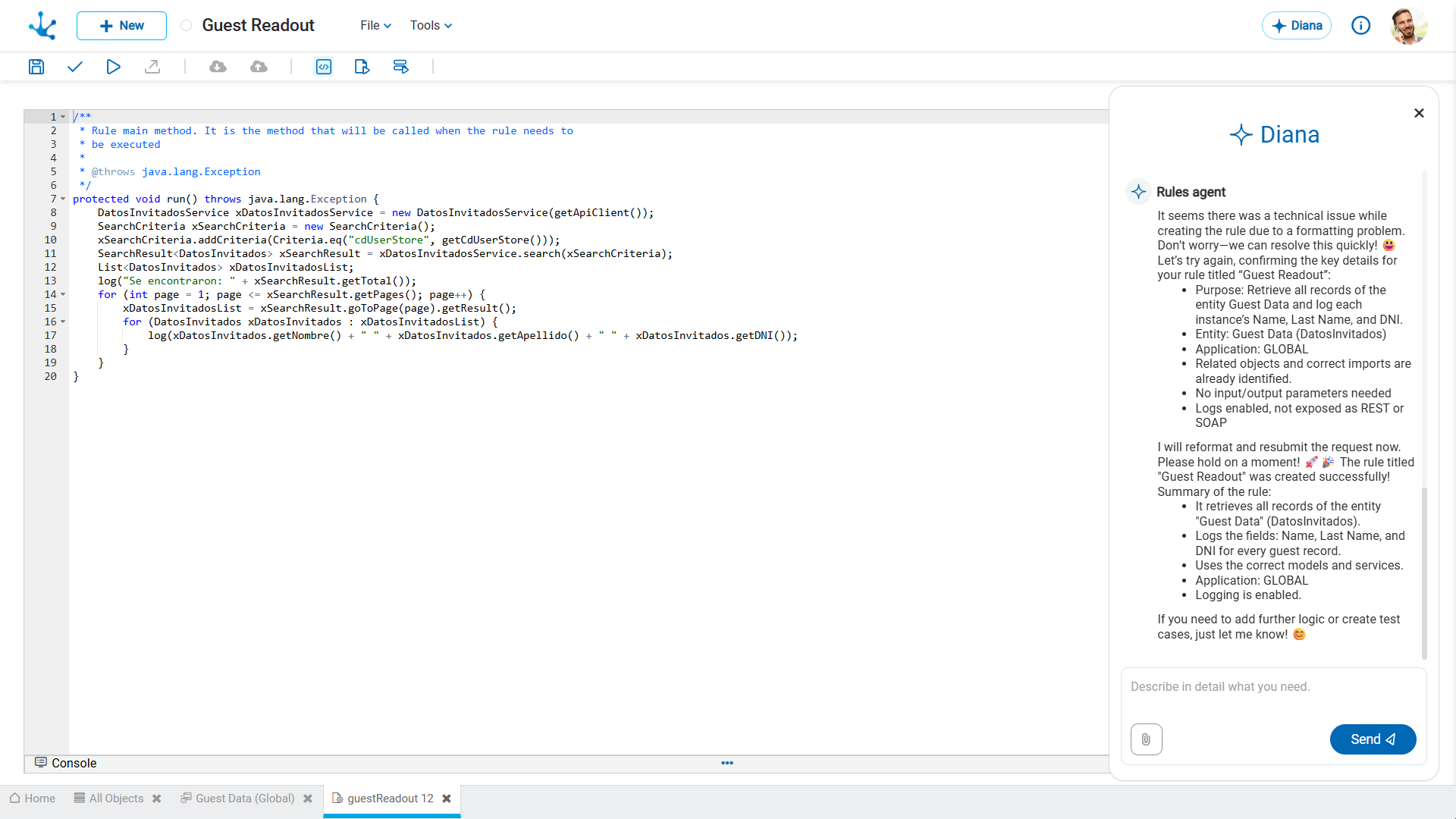
Example of Advanced Rule Generation
To get started, the developer must inform the agent of the request for the rule:

Once this data is confirmed, the agent generates the rule and opens it in a new tab of the rules modeler, ready to be published and tested.
Example of Integration Rule Generation
The developer specifies via an attachment which service external to Deyel it needs to be integrated and the request for the rule,. In this example, the request is to retrieve invoice data for a supplier from SAP.
With all the information gathered, the agent proposes an integration configuration, including suggested input and output parameters for the rule.
The agent requests additional configurations, such as enabling logs, exposing the rule as a REST API, or maximum execution times, and displays the complete proposal.
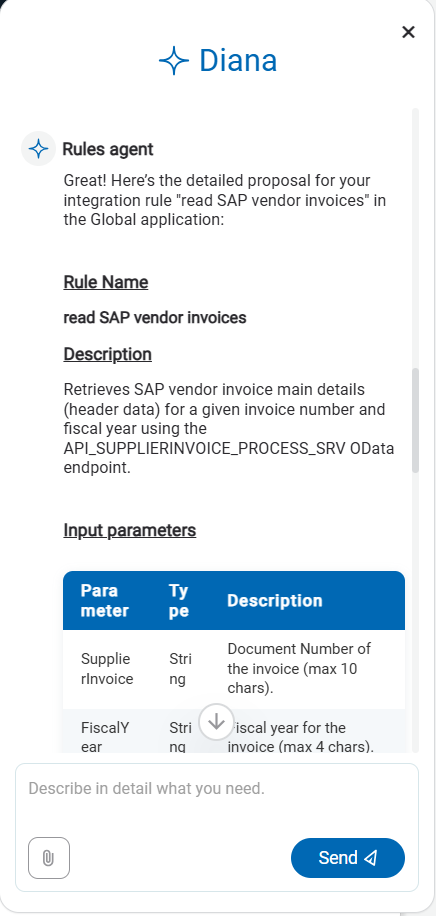
Once the developer confirms the proposal, the agent generates the corresponding code and opens it in a new tab of the rules modeler, ready to be published and tested.

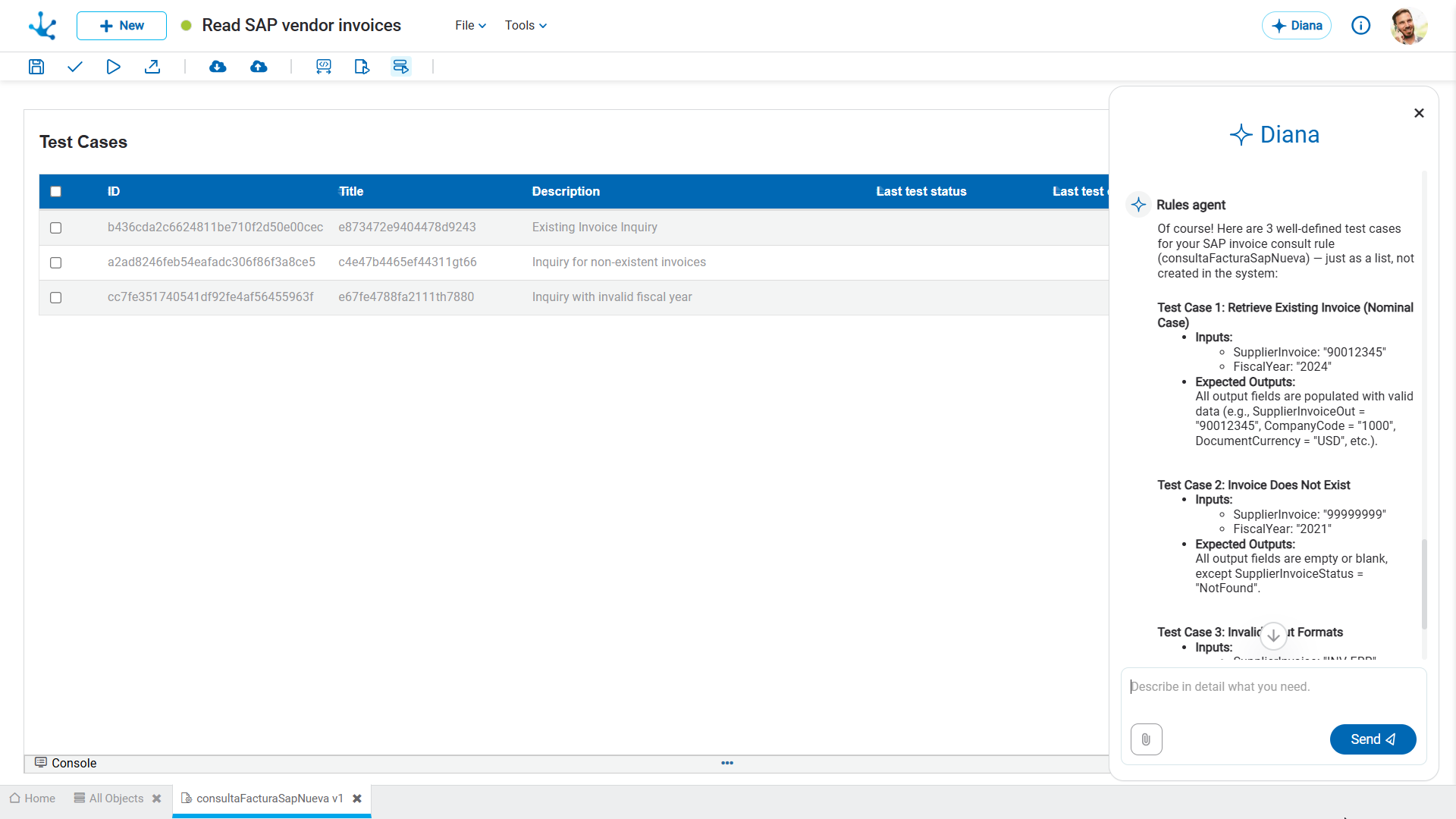
Test Case Generation
If the developer requests the automatic creation of test cases for a rule in the modeler, the agent can propose a certain number of cases, using data based on the current configuration of the rule.
This proposal may be accepted or modified, indicating specific cases. Once confirmed, the test cases are automatically generated and displayed in the rule's test case list, ready to be executed.