

List of Applications


The list of applications allows the administrator to build, install, and view data from the applications in their environment.
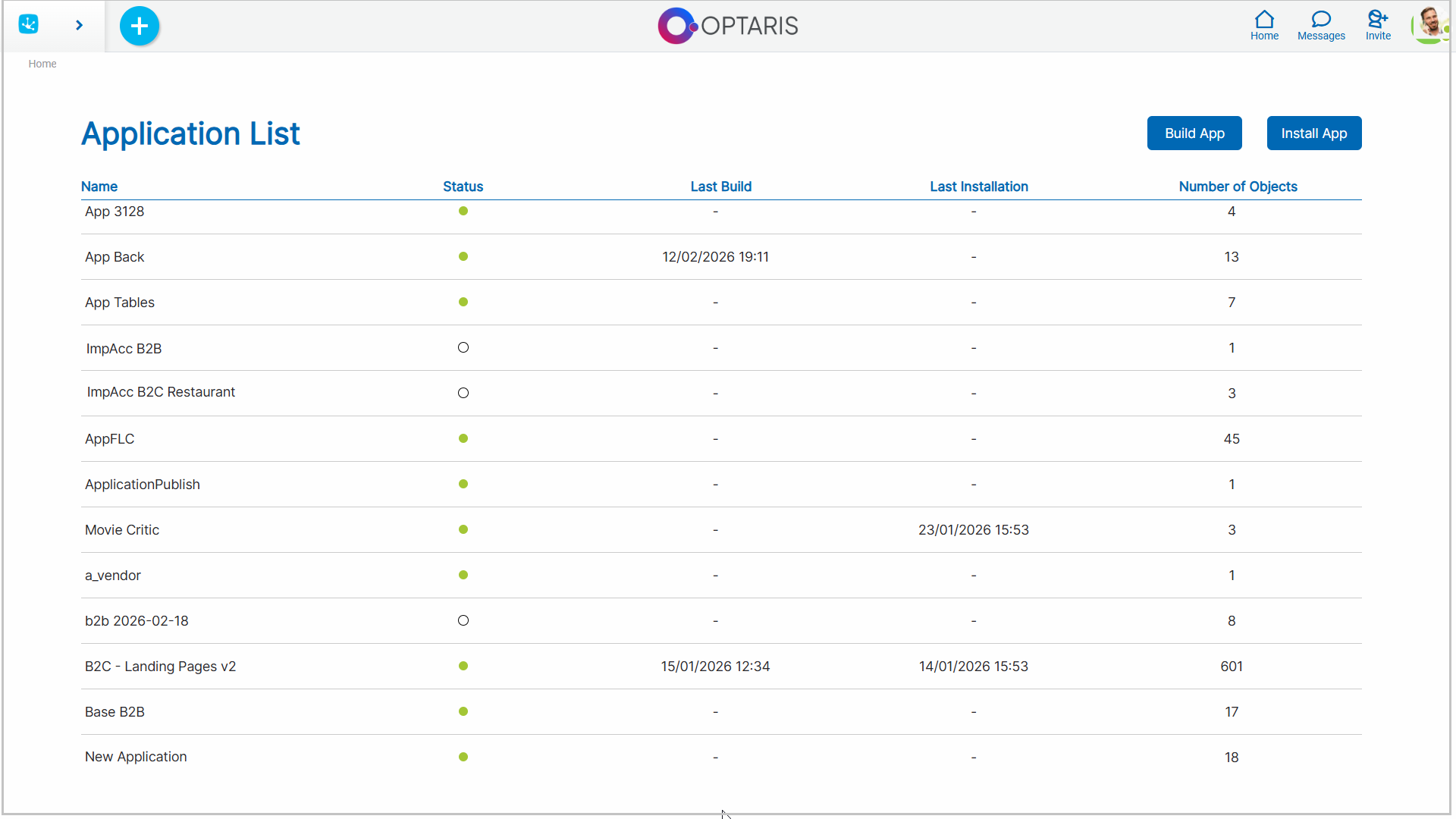
Properties
Name
Identifies the application within the environment.
State
Indicates the application state. Allows quick identification of which applications are available for use.
Last build
Date and time when the most recent application build was performed. If no information is displayed, it means that the application has no recorded builds in the current environment.
Last installation
Date and time when the most recent application installation was performed. If no information is displayed, it means that the application has not recorded installations in the current environment, since it was created directly within it.
Number of Objects
Total number of objects that make up the application.
Actions
The following buttons are available in the top right corner.
 It allows selecting an application and generating a new build for its subsequent installation in another environment.
 It allows installation , in the current environment, of an application previously built in another environment.