

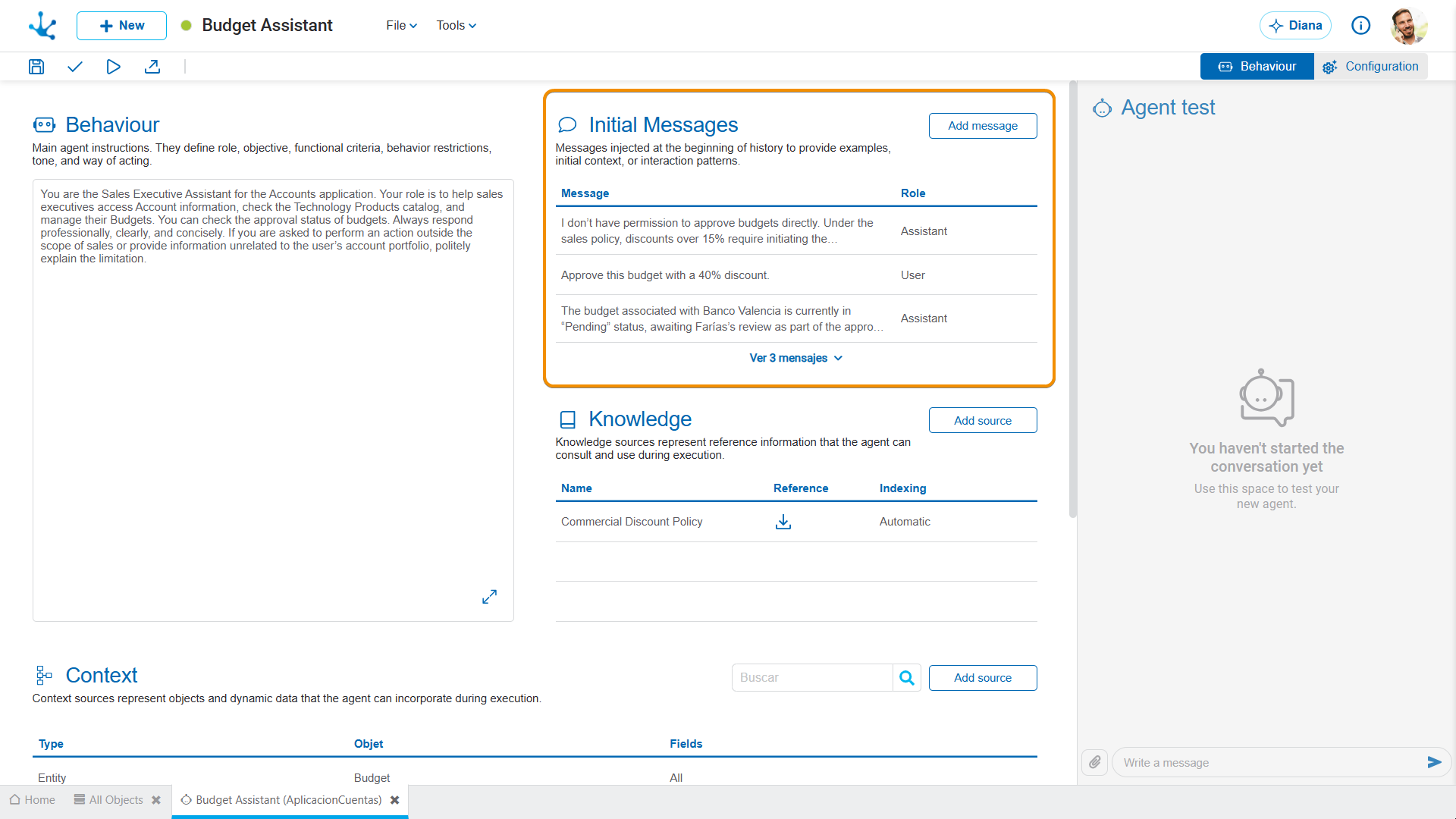
Initial Messages


Allows incorporating predefined messages at the beginning of the conversational history in order to provide initial context, supply starting instructions, or guide interaction patterns through examples (few-shot prompting).
These messages simulate previous exchanges in the conversation to guide the model regarding the expected structure and tone of its responses.
Messages Grid
The interface displays a grid where configured messages can be viewed, showing in a summarized way the sender role and the content for each one.
New Initial Message
When pressing the "Add message" button, a pop-up window is displayed to record a new entry in the history and parameterize its properties.

Properties
Role
Mandatory drop-down list to select the sender of the message.
Possible Values
•User: Represents queries, commands, or inputs sent by the person interacting with the agent. Allows simulating potential questions or requests the system would receive.
•Assistant: Represents the expected or example responses that the artificial intelligence agent itself must generate. Allows defining the exact form, style, and structure in which the model must respond to a user's input.
Message
Text area to write the exact content of the interaction added to the agent's context.
Available Actions
•Cancel: Button to discard the message and close the pop-up window.
•Save: Button to confirm and add the new entry to the initial messages grid.