

Deyel 9.0
August 13, 2025Deyel 9.1

New
DIANA – The AI multi-agent system that transforms Low Code application development
Deyel presents DIANA, the team of Artificial Intelligence agents that is revolutionizing the way enterprise applications are created.
With a conversational, natural-language approach, DIANA accelerates development and simplifies application modeling by combining automation, intelligent assistance, and design best practices.
By merging the robustness of Low Code with the agility of Artificial Intelligence, DIANA redefines how business and IT teams collaborate to design, build, and maintain scalable enterprise solutions.
Conversational development
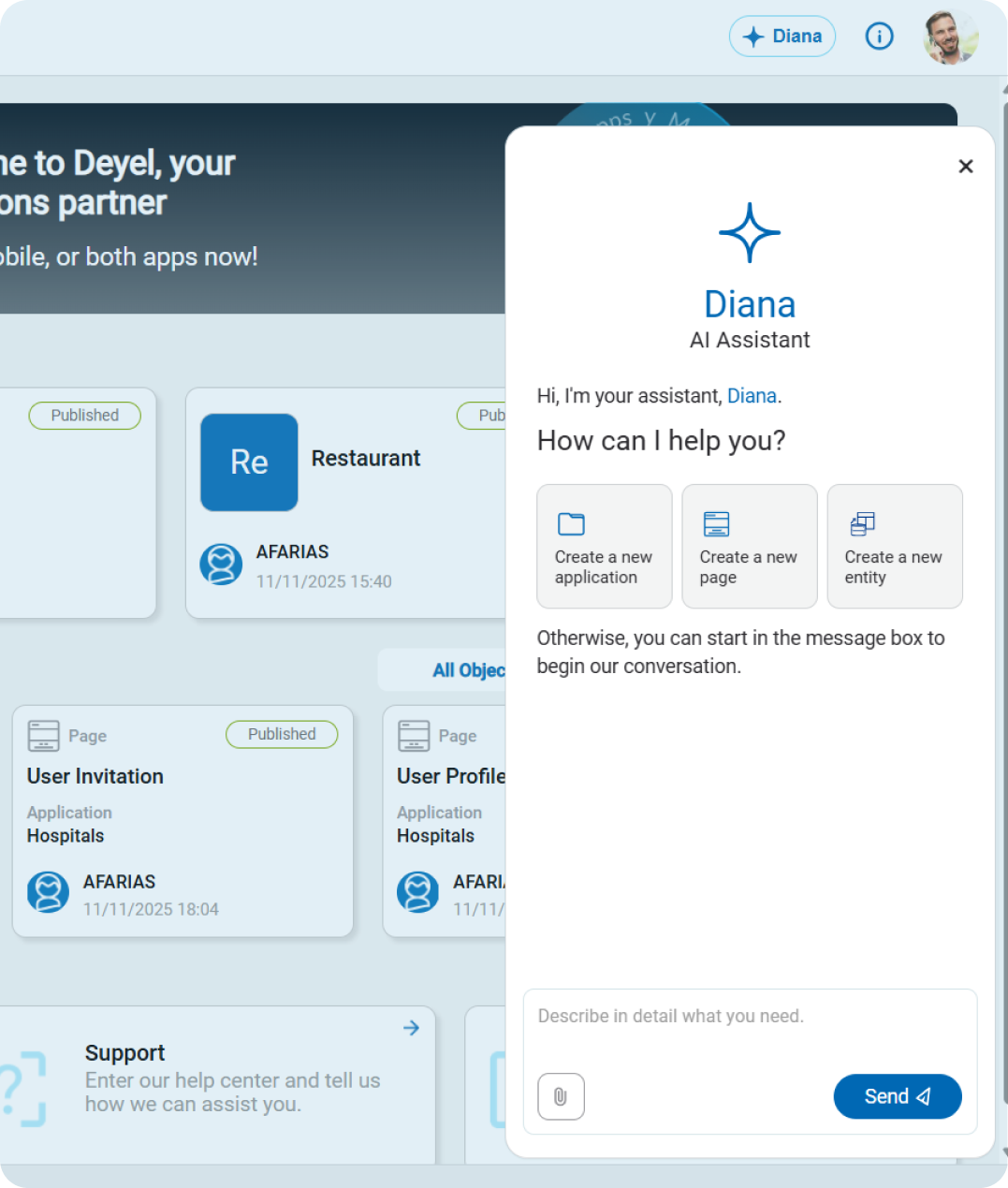
Interact with DIANA in natural language to create end-to-end applications. Through a prompt-guided dialogue, you can describe what you need, and DIANA translates it into personas and user stories, models navigation flows, and generates entities, pages, and advanced rules — all without the need for programming.
Specialized multi-agent architecture
DIANA acts as an orchestrator of specialized agents, each one an expert in a stage of the modeling process:
- Application Agent:
generates the structure in the canvas, defines personas, user stories, and user flows. - Entity Agent:
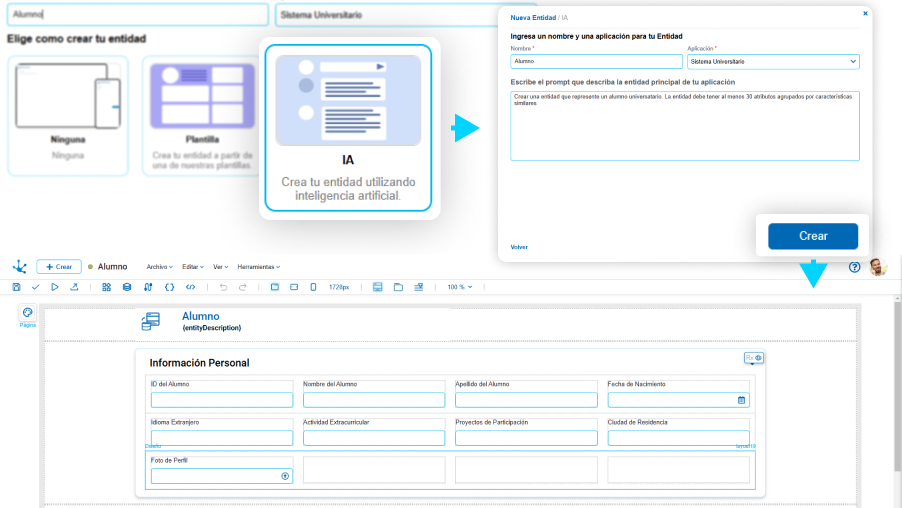
creates and extends data models consistent with the business context. - Page Agent:
designs visual interfaces that are consistent, accessible, and responsive. - Rules Agent:
generates business logic and integrations with external services.
Methodology-driven assisted modeling
DIANA can guide you during application modeling, ensuring that every component follows design standards and best practices. DIANA incorporates B2B and B2C application templates, as well as vertical templates for industries such as credit origination, claims management, and insurance product sales.
Proposal and confirmation flow
Before executing any action, DIANA proposes the solution so you can validate it, and only after confirmation is the action performed. This ensures control, transparency, and quality in every change.
Simple maintenance with Low Code tools
Although the initial creation of an application can be done conversationally with DIANA, its contribution does not end there. DIANA also allows you to extend existing applications by incorporating new entities, pages, rules, and functionalities through natural dialogue, just as you would when creating from Deyel’s modelers.
At the same time, all objects generated or modified — whether via conversation or visually — can be maintained, adjusted, and evolved through Deyel’s Low Code tools without requiring advanced programming. This allows the user to freely switch between both approaches: using the conversational mode for rapid progress, or working from the graphic modelers for detailed visual control.
This dual path empowers citizen developers to create and maintain applications continuously and efficiently.
Contextual assistant and guided learning
In addition to generating objects, DIANA can teach the user how to use the platform by accessing Deyel’s documentation to provide contextual guidance. This makes DIANA the ideal copilot for new users and collaborative development teams.
Components, Personas, and User Stories in the Application Modeler
Deyel’s application modeler incorporates a side panel with two key views: the Components view and the Personas and User Stories view. They were designed to provide a more intuitive, organized, and visual way to manage application components. These views allow you to quickly understand the functional and narrative structure of each application, improving productivity, traceability, and control throughout all modeling stages.
Components View
This view displays all the elements that are part of an application, organized in a tree-structured layout. It allows easy access to recently used objects, exploration of different categories such as entities, pages, or processes, and quick search through an integrated search bar.
Additionally, by simply double-clicking any element, you can open it directly in the corresponding modeler, streamlining the workflow and improving productivity.
Personas and User Stories View
From this view, you can create new personas, add stories, search them by name or description, and apply filters to see only implemented or pending stories. Moreover, when a story is linked to a canvas functionality, it is automatically highlighted, making its visual traceability within the application easier.

Key Highlights
- Through the Components view, you will have a new way to explore the application, allowing you to understand at a glance how it is organized.
- The recent elements section and search bar make it easier to find any object by name, and you will be able to open objects with a double click, speeding up development.
- From the view of personas interacting with the application and their associated user stories, you can create, edit, and delete personas and stories, as well as search and filter information based on implementation status.
- It will be easy to identify the relationship between a story and its implementation, since when a user story is linked to an action within the canvas, it is automatically highlighted when selected.