

Tools Submenu


This submenu allows modeling advanced rule properties and their permissions, as well as internationalization and explanation of the rule.
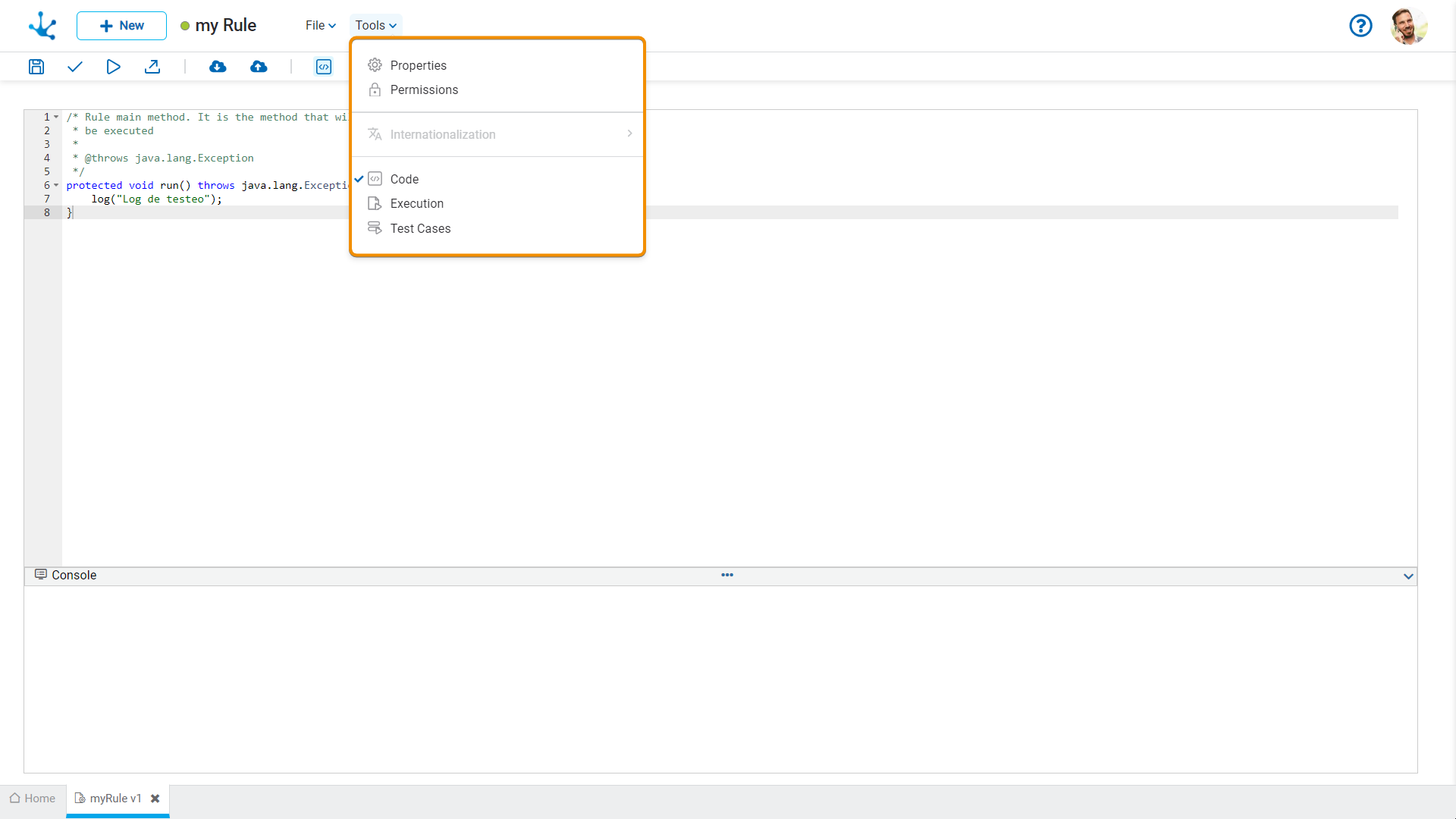
 Properties
Opens the panel of rule properties.
 Permissions
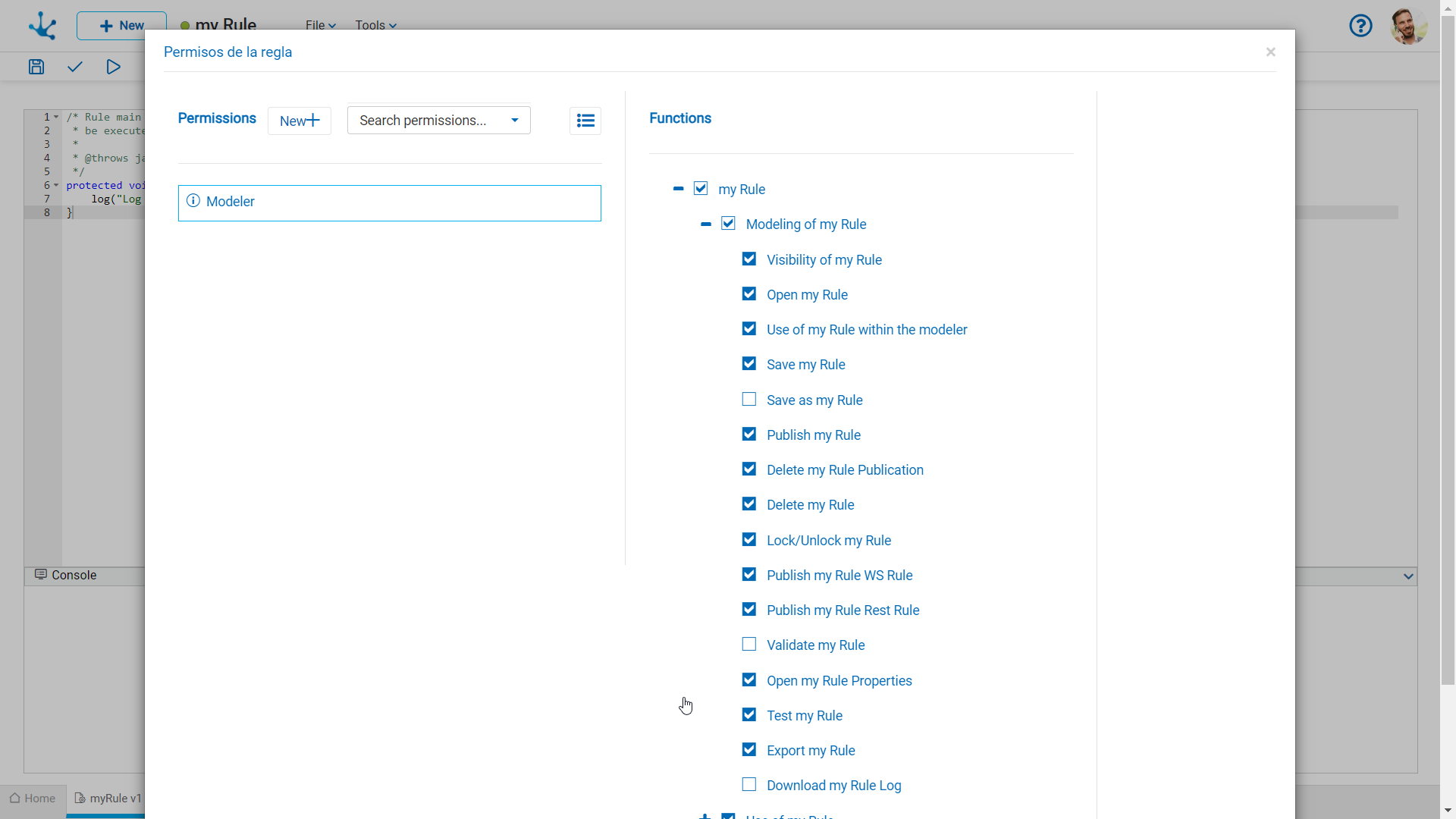
Allows to assign the security functions for use and modeling of the object to the existing permissions or to new permissions that the user creates, without having to go to the permission settings option from the menu.
Sections
●Permissions: Permissions to which object functions are assigned.
●Security Functions: Represents the total set of security functions, modeling and use of the object. Those that are marked are the ones included in the selected permission.
By default, all security functions for a new object are assigned to the permission Modeler.
Users who are assigned the permissions have access to the functions included in it.
 Opens a panel to create a new permission and once created, the security functions included in it must be selected .
 Allows to select a permission from a list and enables the input of characters to filter the values in the list.
 Opens the wizard to select a permission and once chosen, the necessary object security functions must be checked.
To unrelate a permission from the object, hover the cursor over the permission and press the icon  . If there are functions selected for that permission, they must be unchecked in order to delete it.
Modeling Security Functions
•Visibility: Allows to display the object in the Deyel modeler grid.
•Open: Allows to open the object from the Deyel modeler.
•Use within the modeler: It allows the use of the object from another modelable object.
•Save: Enables the save, download rule and upload rule operations.
•Publish: Enables the operation of publishing the object leaving its state as "Published".
•Delete publication: Enables the operation of deleting the object publication leaving its state as "Draft".
•Delete: Enables the delete rule operation.
•Lock/unlock: Enables the lock/unlock operation, only the user who locks it can modify it.
•Publish WS rule: Enables the publish rule operation as SOAP Web Services.
•Publish Rest rule: Enables the operation to publish the Rest API type rule.
•Open properties: It allows to show the rule properties panel.
•Test: Enables the operation to test the rule execution from the "Execution" option.
•Export: Enables the operation to export the rule definition.
•Download log: Enables the operation to download the rule log.
Use Security Functions
•Execute rule via Rest: It allows the smart thing user ("Rest API type Client") to execute the endpoints of the rules Rest API.
 Explain Rule
This functionality allows to automatically obtain a functional description of the implemented logic, facilitating its understanding and documentation.
Deyel uses Diana to generate a functional explanation of the rule, especially useful when it was created or modified with its assistance.
When executed, a pop-up window expands displaying a structured description of the rule, including its name and the application it belongs to, the functional description, the defined input and output parameters, and the logical sequence of steps that make up its behavior.
The option to explain the rule is not only available as a menu option in the rules modeler, but can also be requested directly through a conversation with Diana.