

Grid


For creating and managing permissions, it is posible to access the grid from the menu of Deyel.
•From the option “Configuration”, selecting "Security" and then “Permissions”.
•From the search facility .
Permissions are visualized as a grid with the standard presentation of results grids, with facilities of:
•Sorting
•Search Bar and Filters
•Data Download
•Operations
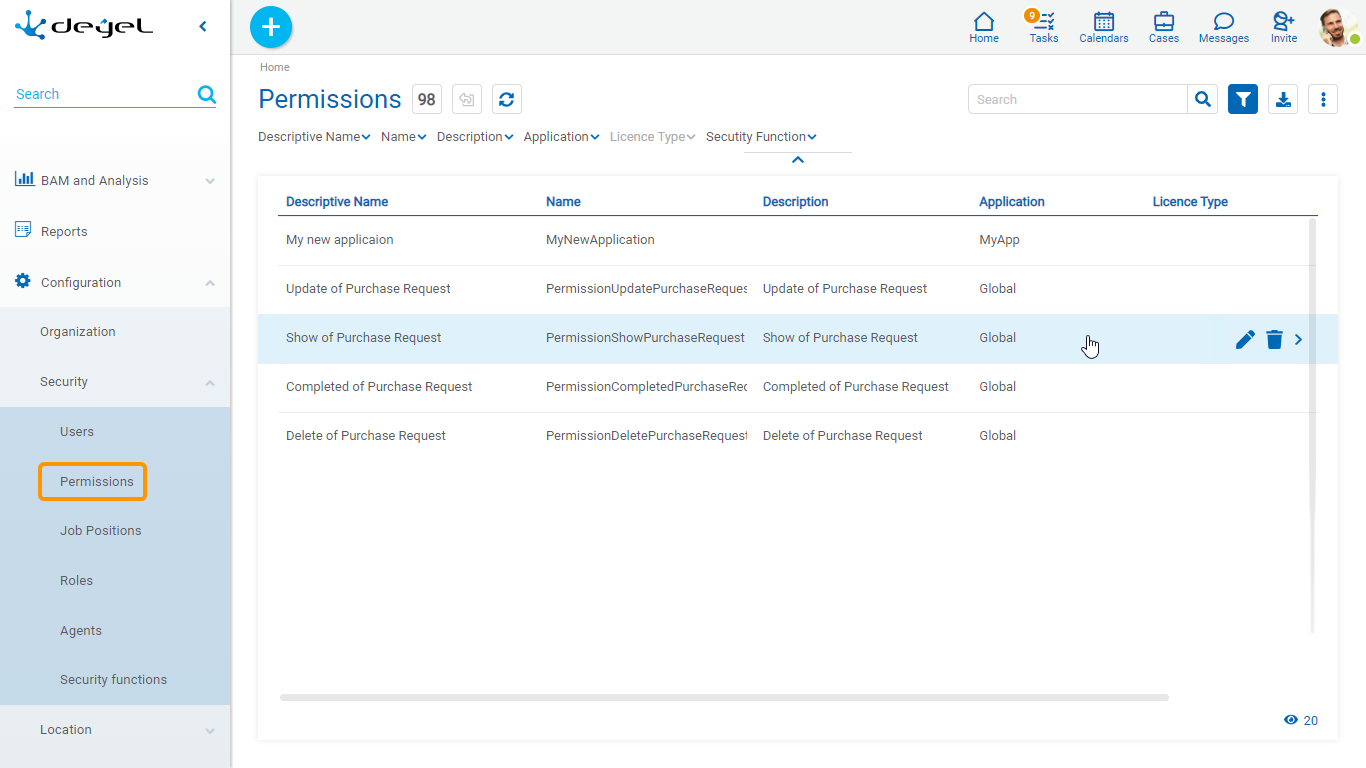
The following properties of permissions are visualized as grid columns:
•Descriptive Name
•Name
•Description
•Application
•License Type
Filters can be applied by the following properties:
•Descriptive Name
•Name
•Description
•Application
•License Type
•Security Function
It is possible to perform operations on each line of the permissions grid. By clicking on the line the display of the selected permissions is done, while by means of the icons  and
and  its modification or elimination is done, respectively.