
Modeling Assistance


These functionalities allow analyzing, optimizing, and understanding Java code interactively, providing support to the modeler user to work more safely and efficiently.
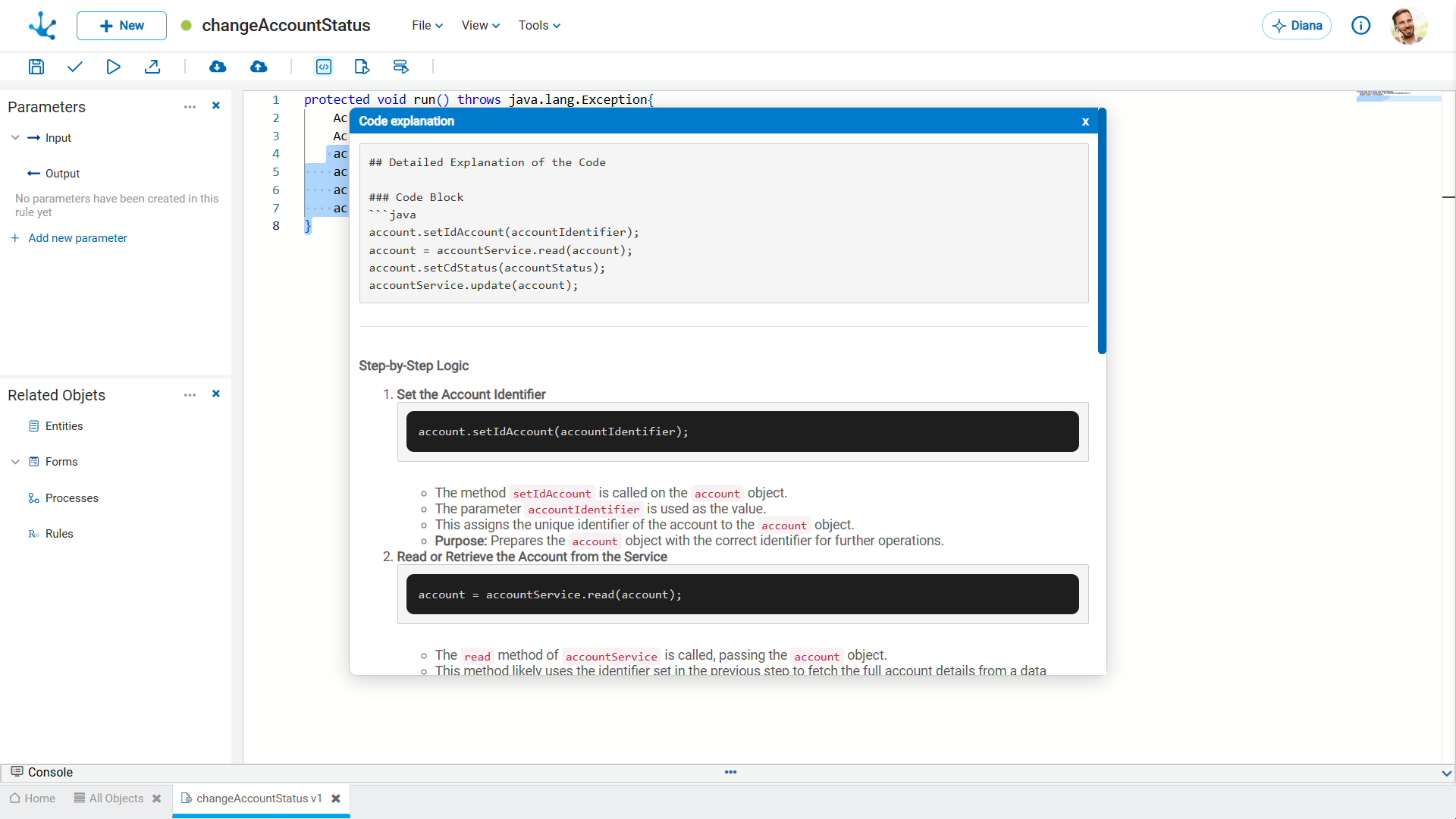
Explain This
Generates a clear, step-by-step explanation of a selected code fragment. Selecting the option opens a pop-up window, scrollable within the modeling area, which details the implemented logic. It is especially useful for understanding complex logic or reviewing previously developed code.
Simplify This
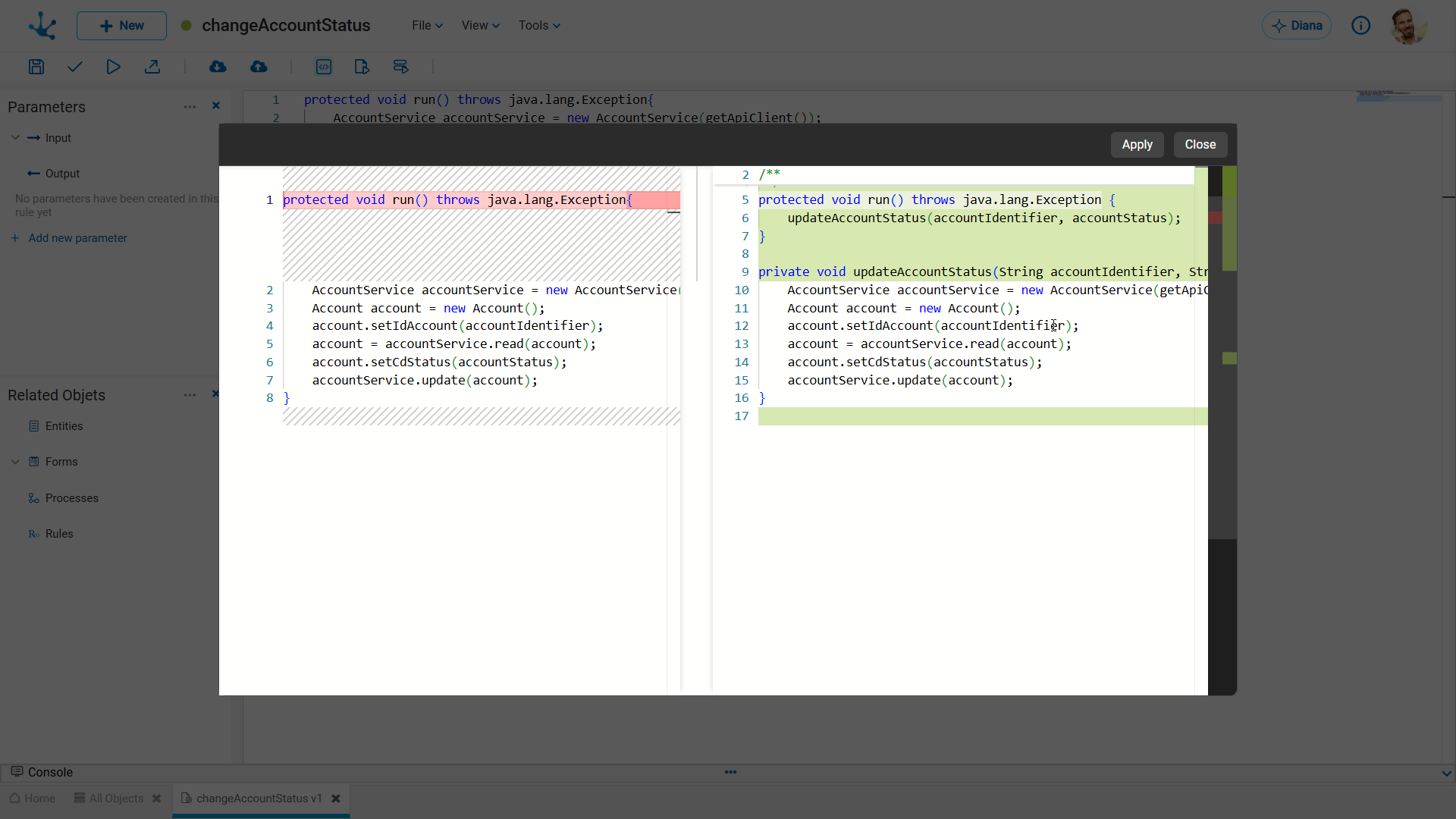
It allows rewriting the code to improve its clarity, simplify its structure, and facilitate its maintenance, without modifying its behavior.
By clicking this option, Diana displays a visual comparison in a pop-up window, scrollable within the modeling area. The original code is presented in the left panel, and the proposed optimized code is presented in the right panel, highlighted in green. This allows for the analysis of suggested improvements before they are implemented.
Fix This
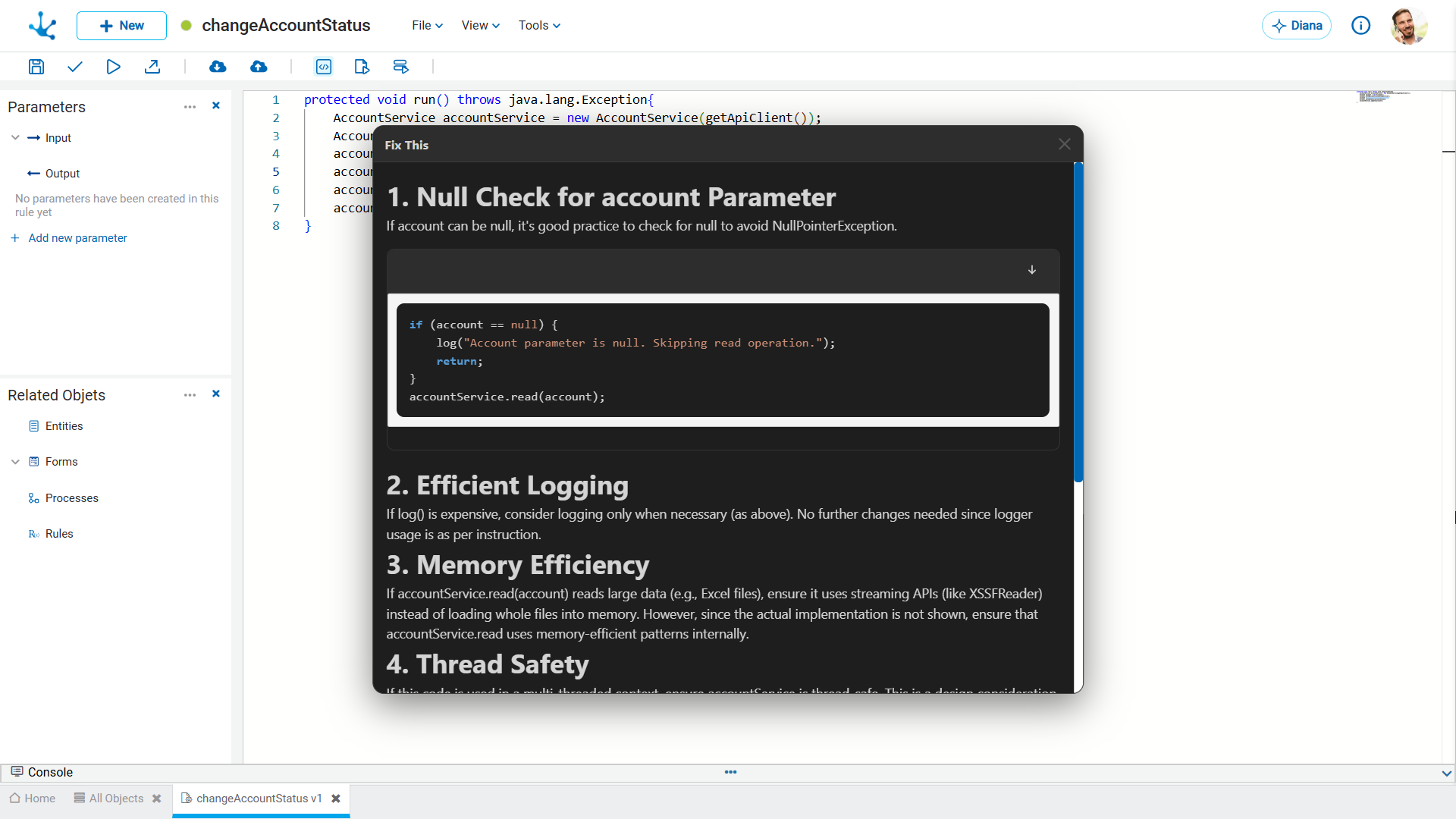
Analyzes the code to identify possible errors or inconsistencies. Additionally, it proposes a corrected version and suggests specific improvements for situations that could cause failures or unexpected behavior at runtime.
Diana identifies potential problems in the code and presents concrete examples along with recommendations for solving them. Suggestions can be reviewed and copied directly to the modeling area.